



Available courses

Moodle’s Lesson activity allows teachers to combine content, questions, feedback and different routes through learning material. Learners can move through a sequence of pages, make choices, answer questions and receive guidance based on their responses.

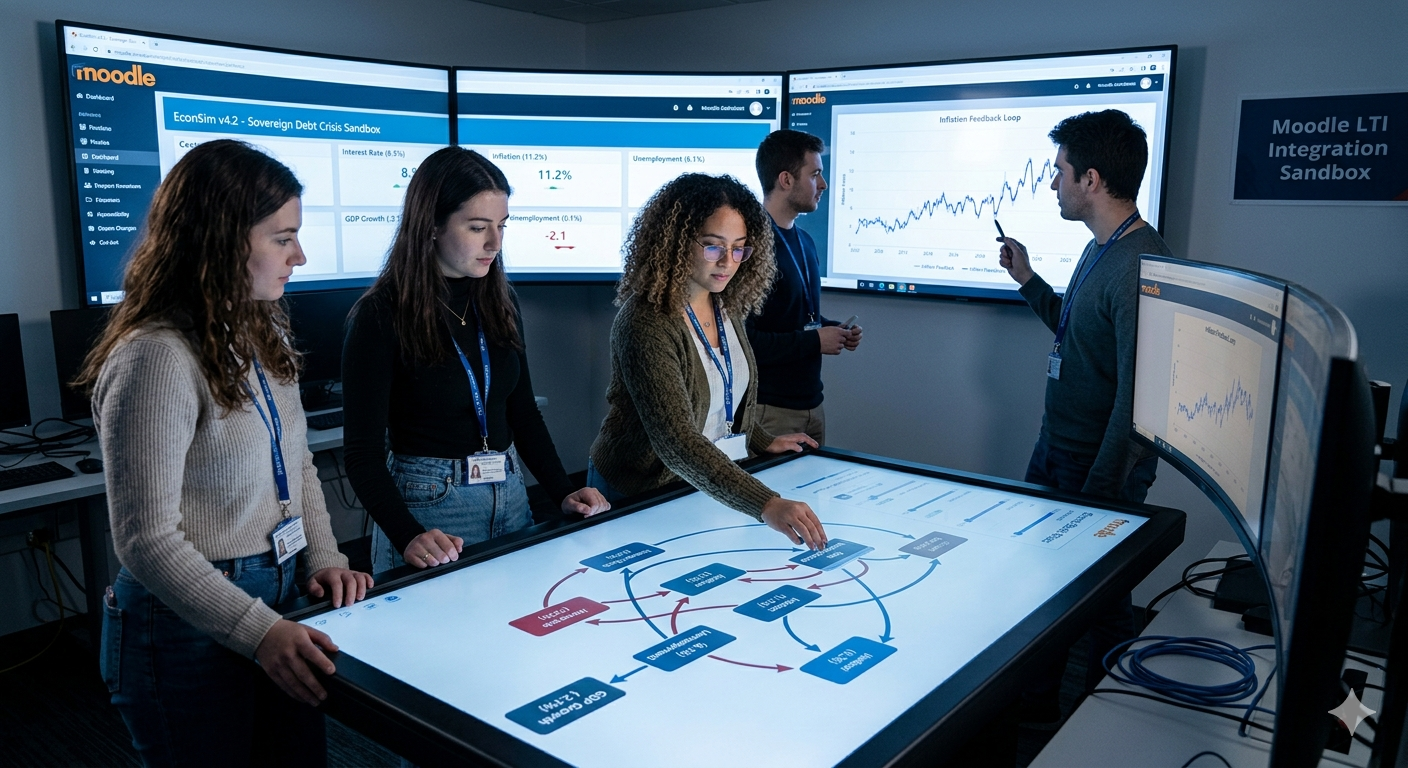
An educator can take a teaching problem, recognise the system pattern behind it, adapt a CommandRoom preset, run a learner decision activity, and debrief the results meaningfully.

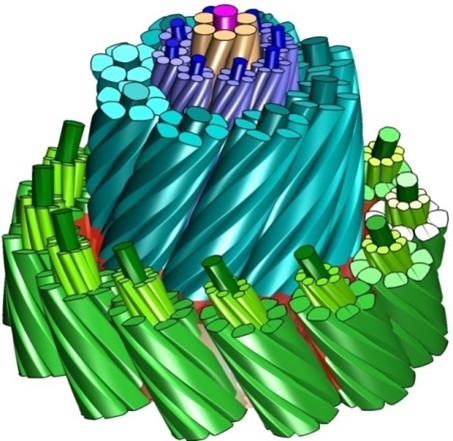
To fill in and rejuvenate the knowledge of the current and future Inspectors and LMI’s to understand the new SANS discard criteria and apply this to ensure each item is inspected in accordance with a relevant technical standard.


This course presents useful information for practitioner’s in the lifting machinery industry. It is not specifically intended as training material for the registration by the Engineering Council of South Africa (ECSA) of Lifting Machine Inspectors (LMI’s)

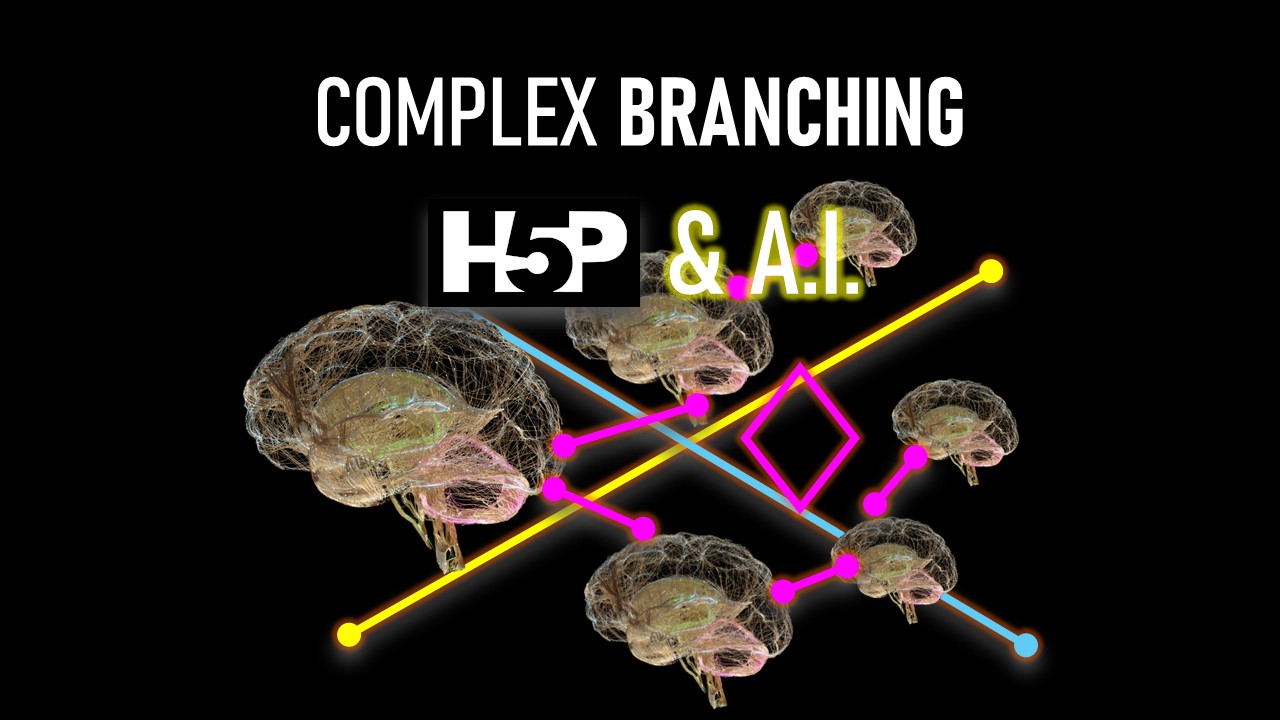
Use ChatGPT Prompt and output to create H5P Branching Scenarios

This short, practical mini-course introduces teachers to the essentials of creating and deploying their first Penny-Drop activity using Penny Mint. Participants will learn how to log in, set up a new project, submit and review pennies, and access the iframe embed code. By the end of the course, teachers will be able to test a Penny-Drop activity and, if desired, embed it seamlessly into their own teaching environment.

Free H5P Course: Interactive Learning with H5P in Moodle

Explore H5P interactivities that bring science and pedagogy to life — interactive videos, question reuse, essay & accordion types, and Bloom’s Taxonomy alignment.

Course overview

This hands-on mini-course demonstrates practical, classroom-ready uses of H5P inside Moodle. You’ll see concrete examples that combine science topics with active learning design and assessment practice. The course is ideal for educators, instructional designers and trainers who want to make lessons interactive, reusable and pedagogically sound.

What you’ll find in this course

  • Interactive videos covering: Electrolysis of Water, Weather Systems, Cell Division, and How Telescopes Work — each video includes embedded questions and reflective checkpoints.
  • H5P question types demonstrated and reused in Moodle via the question-reuse plugin so you can maintain a single question bank across activities.
  • Essay and Accordion content types shown in context — great for reflective tasks and structured explanations.
  • Practical discussion linking H5P to Bloom’s Taxonomy — learn how to design activities that map to remembering, understanding, applying, analysing, evaluating and creating.
  • Design tips for accessibility, repurposing content, and saving development time by reusing H5P assets across courses.

Why this course matters

H5P enables active, formative assessment that both measures and builds understanding. This course shows you how to create interactive learning experiences that increase engagement and improve learning outcomes — without expensive authoring tools. Practical examples make it easy to adapt these ideas for K–12, higher education, and corporate training.

How to use the course

  1. Watch the interactive videos and try the embedded H5P tasks to see learner experience first-hand.
  2. Open the H5P objects and export/import them into your own Moodle sandbox (instructions and download links are included in the course resources).
  3. Review the Bloom’s Taxonomy notes and adapt question difficulty to match

Use Aadacity and AI to turn your voice recirdings into studio-quality sound tracks for use in your multimedia teaching product.

Must-Have Moodle Plugins for Interactive and Engaging Online Teaching

Explore essential Moodle plugins that can transform your online courses, improve learner engagement, and supercharge your teaching.

Video 1: Level Up, H5P Content Types & Quickmail

Video 2: Board, H5P & Quizventure

Welcome to this hands-on course designed for educators, instructional designers, and trainers who want to make their Moodle courses more interactive and engaging. In this course, you will discover six essential Moodle plugins across two videos that can transform your online teaching experience.

Through practical demonstrations, you’ll learn how to:

  • Use Level Up to gamify your Moodle courses and motivate learners through points, badges, and leaderboards.
  • Import questions and interactive content from H5P to enrich quizzes and activities.
  • Enhance communication with Quickmail for sending targeted messages to your learners.
  • Organize and visualize content with Board plugin for interactive course navigation.
  • Engage learners with Quizventure, a fun, game-based quiz plugin that improves retention.

By the end of this course, you’ll be able to integrate these plugins into your Moodle courses confidently, creating a dynamic, learner-centered environment that promotes better engagement and learning outcomes.

Enroll now to explore these plugins in action and start enhancing your Moodle courses today!

Tags: Moodle plugins, interactive learning, gamification, H5P, Quizventure, Quickmail, Board plugin, online teaching, e-learning, instructional design, Moodle tips, course engagement

Learn to illustrate key economic indicators interactively in PowerPoint. Master Morph transitions, slide linking, and dynamic animations — something even Pixar can’t do!


Discover how PowerPoint can outshine Pixar in teaching complex concepts! In this mini-course, participants explore key economic indicators — Inflation, Interest Rates, Unemployment, and Household Spending — and learn to illustrate their dynamic relationships using interactive PowerPoint animations.

Through Morph transitions, slide linking, and creative interactivity, you’ll master how to:

  • Build dynamic visualizations of economic relationships

  • Design interactive learning experiences in PowerPoint

  • Communicate complex variables clearly and engagingly

By the end of this course, you’ll be able to create interactive, decision-driven animations that make learning economics intuitive — something even Pixar can’t do!

Transform Your Teaching with H5P

Learn how to create interactive videos, assessments, and activities that captivate learners and boost engagement.

Welcome to Using H5P for Teaching and Formative Assessment, a hands-on course designed to help educators, instructional designers, and training professionals transform online learning. This course equips you with practical strategies to design engaging assessments and interactive learning experiences that deepen understanding and drive learner engagement.

In this course, you’ll learn how to:

  • Create visually engaging interactive videos that hold learner attention.
  • Build assessments such as multiple-choice questions, drag-and-drop tasks, and fill-in-the-blanks activities.
  • Use ChatGPT to generate high-quality assessment content efficiently.
  • Repurpose assessment tasks across different H5P interactivities to save time and effort.
  • Design learning experiences that are both fun and pedagogically effective.

By the end of the course, you’ll be able to craft online lessons and formative assessments that not only capture attention but also enhance learning outcomes. Access practical resources, tips, and guidance to continue refining your H5P skills.

Enroll today to elevate your teaching and start creating interactive, learner-focused experiences with H5P!

Tags: H5P, interactive learning, formative assessment, e-learning, online teaching, instructional design, educational technology, ChatGPT, interactive video, Moodle, teaching resources

Convert PowerPoint into a Gradable, Interactive Course (PowerPoint → H5P)

A free mini-course showing a practical, low-cost workflow to turn slide decks into LMS-hosted, gradable learning using H5P and Moodle.

Watch: From PowerPoint to a Gradable H5P Course

This short walkthrough demonstrates the four practical steps to convert a PowerPoint into an interactive, gradable course: prepare slides, convert to H5P content, add assessments for grading, and publish within Moodle. The video contains worked examples, configuration tips, and testing guidance for instructors who want a low-cost, updateable approach to digital training.

Why this approach matters

PowerPoint remains a ubiquitous authoring tool in education and training. Converting slide decks into H5P activities yields content that is: interactive, assessable, easy to update, and compatible with standard Moodle grading. This method reduces dependence on expensive video production while increasing learner engagement.

Who this mini-course is for

  • Teachers and trainers who already use PowerPoint and want to make it interactive.
  • Instructional designers seeking low-cost, maintainable LMS workflows.
  • Training managers needing quick turnarounds when content updates are frequent.

Core benefits you will get

  • Step-by-step guidance to convert slides into H5P activities.
  • Examples of gradable interactions (quizzes, interactive videos, branching scenarios).
  • Advice on testing, publishing, and designing for easy future updates.

Quick overview — The four steps

  1. Prepare slides: clean structure, clear learning objectives per slide, and export assets (images/audio).
  2. Convert into H5P: import content into H5P content types (e.g., Interactive Book, Column, Course Presentation).
  3. Add assessment: insert H5P quiz questions or interactive checks that map to your gradebook items.
  4. Publish & test: embed the H5P module in Moodle, check guest access if you want it discoverable, and test grading flows.

Short transcript & highlights

(Use this text for quick indexing and accessibility — full transcript below.)

Expand full transcript / key timecodes

00:00–01:30 — Introduction: Why convert PowerPoint to H5P; use cases for training and education.

01:31–05:00 — Step 1: Preparing slides — structure, objectives, and asset export.

05:01–10:45 — Step 2: Importing and building H5P content types; demo of Interactive Book and Course Presentation.

10:46–14:00 — Step 3: Adding graded assessments and mapping to Moodle gradebook.

14:01–end — Step 4: Publishing, testing, and iterative updates; tips for maintaining content over time.

(If you’d like, you can copy this transcript into the course notes for accessibility and better indexing.)

Learning outcomes

After completing this mini-course you will be able to convert a PowerPoint into interactive H5P content, build gradable assessments, embed and test the module in Moodle, and maintain the content efficiently when policies or training needs change.

Note: This course is guest-accessible for preview (recommended for indexing). If you want a private version for staff training, contact me.

Published by Sapienta — practical guides for educators. For help adapting this workflow to your institution, contact Johan via his Moodle profile.

Discover Interactive Learning with H5P in Moodle

Experience a unique Moodle course showcasing H5P interactive videos and tools for educators—practical, engaging, and ready to use in your own teaching.

Course Overview

Welcome to a unique Moodle experience—more than just a course! This space introduces you to H5P interactive video activities and other digital teaching tools designed to make online learning more engaging and effective. Whether you arrived here via our or discovered us through a search, we’re glad to have you here.

What You’ll Find Here

  • Hands-on H5P video interactivities that you can explore directly within Moodle.
  • Opportunities to discover additional digital skills and tools for educators.
  • A community forum where you can introduce yourself and connect with other educators.

How to Get the Most Out of This Course

  1. Watch the introductory video above to see the interactive features in action.
  2. Explore the H5P activities included in the course.
  3. Drop by the forum and share your teaching interests—we’d love to hear from you!
  4. Stay enrolled to receive updates when new interactivities and resources are added.

Ready to Start?

Click “Continue” to create a free account and dive into interactive teaching with H5P in Moodle. Your first step toward engaging, effective online learning begins here!

Suggested tags:
H5P Moodle interactive video online teaching digital tools for educators

Keywords: H5P in Moodle, interactive video, online teaching tools, digital teaching strategies, Moodle courses for educators.

Build a resettable Moodle sandbox: experiment safely, learn faster, and redesign your LMS without risk.

Set up a public or hosted sandbox, automate restores, and test themes and course designs with confidence — no coding required.

(opens in new tab)

Course overview

This concise mini-course teaches you how to create a fully resettable Moodle sandbox that lets you experiment with themes, layouts, plugins, and course designs without touching your production site or risking learner data. Ideal for teachers, instructional designers, and Moodle admins who want to learn by doing.

What you will learn

  • Create a sandbox subdomain using cPanel and one-click installers (Softaculous) — no terminal or server coding required.
  • Install and secure Moodle on a subdomain and create template courses and test users for realistic experiments.
  • Use theme presets and SCSS to prototype professional-looking course surfaces and portable design changes.
  • Automate sandbox restores with scheduled backups, a simple restore script (bash), and a cron job so the site resets regularly.
  • Leverage AI tools (e.g., ChatGPT) to generate code snippets, friendly explanations of hosting settings, and sample SCSS presets — even if you’re not a developer.

Why this matters

One wrong click on a live LMS can affect real learners. A sandbox gives you a safe, repeatable space to test design improvements, build confidence with admin tools, and iterate quickly — all while preserving the integrity of your production environment.

Practical outcomes

  • Deploy a sandbox in hours using ordinary hosting tools.
  • Create theme presets that are portable to other Boost-based themes.
  • Restore the sandbox automatically on a schedule so experiments are ephemeral.
  • Use the sandbox to prototype H5P, SCORM imports, course layouts, and admin workflows.

Resources & links

  • Lumi (H5P editor & tools) — useful for H5P prototyping
  • Example backup/restore workflow (included in course): Softaculous export, site files, and database SQL snapshot

How to use this course

Start by watching the video, then follow the step-by-step pages in the mini-course that walk you through subdomain creation, Moodle install, theme preset setup, and cron-based restores. Use the sandbox credentials on the course homepage to log in as admin, teacher, or student and practice tasks safely.

Call to action

Enroll now to access the full step-by-step guides, downloadable prompts I used with ChatGPT, and the backup/restore scripts you can adapt for your hosting environment. If you prefer, test directly in my public sandbox — link is available in the course resources.

Tags: moodle sandbox moodle admin theme customization cron restore chatgpt prompts

Keywords: Moodle sandbox, Moodle customization, theme presets, SCSS, Softaculous, cPanel, cron job, automatic restore, H5P prototyping, instructional design.

Create Branching Scenarios with H5P — Free & Practical

Learn how to create branching scenarios in H5P that engage learners and rival commercial e-learning tools. This course combines three practical projects:

  • — build decision-based learning.
  • — add interactivity and branching logic.
  • — package your course for any LMS.

Ideal for educators and instructional designers asking: “How do I make a branching scenario in H5P or turn PowerPoint into a SCORM package — for free?”


Introduction

Welcome to this mini-Moodle course on improving your video's audio using Audacity and simple tools you already have. The aim is not podcast-level perfection, but clear, pleasant audio that makes your videos easier and more enjoyable to watch.

Even if you record on a cellphone in a home study, you can produce professional-sounding audio using simple techniques:

  • Noise reduction

  • EQ Filter Curve

  • Compression

  • Loudness normalization

  • Subtle reverb

By the end of this course, you’ll know how to take your raw video and create a polished final version that your audience will love.


Crafting Engaging Animated Stories with PowerPoint

Learning Objectives

By the end of the lesson, students should be able to:

  • Identify the key steps in creating an animated story using PowerPoint.
  • Explain how to structure a lesson as a story with a crisis, journey, and resolution.
  • Apply basic animation effects to synchronize visuals with narration in PowerPoint.

Vocabulary

  1. Animated Story – A lesson told through moving visuals and narration.
  2. Crisis – The problem or challenge introduced at the start of a story.
  3. Journey – The process or steps taken to solve the crisis.
  4. Resolution – The outcome or solution to the crisis.
  5. SmartArt – A PowerPoint feature to create structured, animated diagrams.
  6. Text-to-Speech – Technology that converts written text into spoken audio.
  7. Entrance Animation – Visual effect showing how an object appears on screen.
  8. Emphasis Animation – Effect that highlights an object already visible.
  9. Exit Animation – Effect showing how an object leaves the screen.
  10. Audible Markers – Sound cues used to mark sections in audio editing.

Essential Questions

  1. How can storytelling techniques enhance student engagement in lessons?
  2. What role do animations play in helping learners understand complex ideas?
  3. How can technology tools like PowerPoint and AI voices improve teaching efficiency?

Key Points

1. Why Use Animated Storytelling?

  • Animated storytelling makes lessons memorable by turning dry concepts into engaging, unfolding narratives.

  • PowerPoint can be used to create short, animated case studies that students remember better than bullet-point slides.

  • Once created, animations can be easily reused and updated with minimal effort.

Media Literacy and Critical Thinking Skills


In today’s world, misinformation spreads faster than the truth. Young people are increasingly vulnerable to online manipulation, addictive content, and polarizing narratives. As educators, it’s no longer optional to teach media literacy and critical thinking—it’s essential.

This mini-course equips you with practical strategies and ready-to-use tools to empower students to consume, analyze, and share digital content responsibly. Through an interactive repository, you’ll explore:

  • How social media algorithms shape attention, emotions, and beliefs.

  • Techniques to teach critical thinking and media literacy effectively in the classroom.

  • Engaging, educator-ready ChatBot exercises designed to guide learners in real-time.

  • Strategies to help students recognize misinformation, fake news, and online bias.

By the end of this course, you’ll have a toolkit that makes teaching social media literacy not only practical but impactful. Every lesson is designed for immediate application, giving your students the skills they need to navigate the digital world responsibly.

Why this course matters:
Ignoring online behavior is no longer an option. Just as we teach young people about drugs, drinking, and road safety, we must teach them to critically evaluate the media they consume. This course gives educators the methods and technology to meet this urgent need.

Enroll now and transform how your students interact with social media—before misinformation and digital manipulation take root.


Video date: 22 October 2025

Learn how to design and script interactive videos for H5P — the key to transforming passive viewing into active learning. In this practical session, Johan Venter shows how to plan engagement from the first draft rather than adding interactivity as an afterthought. You’ll discover how to: Identify natural pause points where learners reflect or choose a path forward. Script questions and feedback that serve clear learning goals. Pace narration, visuals, and emotion so interactivity feels seamless and authentic. Anticipate support clips, branching, and feedback moments while recording. Whether you publish through Moodle, H5P.com, or YouTube, this guide helps you build videos that respond to learners — not just play to them. Ideal for educators, trainers, and content creators who want to elevate engagement and make their next video truly interactive.

How to Use H5P Essay Type Questions for Reflective Learning.

Integrating PowerPoint Presentations into Moodle for Engaging Online Learning

This mini-course equips educators with the skills to embed and enhance PowerPoint presentations in Moodle, creating interactive and accessible learning experiences for students.

In this hands-on mini-course, you will learn how to integrate PowerPoint presentations into Moodle in ways that engage students and improve online learning outcomes. Through instructional videos, interactive exercises, and practical examples, you’ll discover how to:

  • Enhance PowerPoint slides with animations, transitions, and multimedia for richer online presentations.
  • Embed PowerPoint files seamlessly within Moodle courses for smooth learner access.
  • Explore alternative presentation formats to improve interactivity and accessibility.
  • Design dynamic course content that promotes student engagement and participation.
  • Apply practical tips to make your online courses more visually appealing and educationally effective.

By the end of this course, you’ll be able to transform static slides into engaging, interactive online learning experiences that work effectively within Moodle.

Tags: Moodle PowerPoint integration, online teaching, e-learning, interactive presentations, educational technology, online learning engagement, PowerPoint in Moodle, course design, instructional design

Get hands-on practice with H5P, Moodle, and multimedia tools.

Learn to create text-to-speech narrations, PowerPoint animations, and interactive videos with Clipchamp — step-by-step, no risk, no cost.

About This Mini-Course

This hands-on mini-Moodle course gives you practical experience with H5P, Moodle, and key multimedia tools such as Clipchamp and PowerPoint. No prior experience is needed, and you can enroll risk-free with Udemy's 30-day money-back guarantee.

The course will only take about an hour to complete, and you’ll be notified as new lessons are added.

Learning Outcomes

  1. Creating Text-to-Speech in Clipchamp:
    • Compose and customize text narration using Clipchamp’s Text-to-Speech feature.
    • Choose from multiple voices and adjust pitch and speed settings.
    • Save and export professional-quality audio clips for your projects.
  2. Creating Animated PowerPoint Videos:
    • Design advanced animations using Morph transitions and visual effects.
    • Export animations as MP4 files for seamless video integration.
  3. Editing Final Video in Clipchamp:
    • Import animation and audio files into Clipchamp.
    • Synchronize speech, video, text overlays, and background music.
    • Produce a polished final video ready for online learning platforms.

Enroll today to gain practical skills in creating interactive multimedia lessons for Moodle and H5P.

Keywords: H5P tutorials, Moodle mini-course, Clipchamp video editing, PowerPoint animations, eLearning content creation, text-to-speech narration

Master H5P with Lumi in this free mini-course. Create engaging, interactive learning content and integrate it seamlessly into your LMS.

Perfect for educators, trainers, and instructional designers looking to boost learner engagement.

Welcome to the Mastering H5P with Lumi mini-course — your gateway to creating dynamic, interactive learning content for free. This course is designed for educators, instructional designers, and trainers who want to improve learner engagement using H5P and the Lumi application.

In this course, you will learn how to:

  1. Install & Navigate Lumi: Download, install, and start using Lumi on Windows, Mac, or Linux.
  2. Create Basic H5P Content: Build simple yet powerful interactive activities like quizzes and reflection exercises.
  3. Explore Advanced Features: Use multimedia, branching scenarios, and feedback tools to make learning more engaging.
  4. Implement Best Practices: Design content that is accessible, user-friendly, and pedagogically sound.
  5. Integrate H5P with LMS: Deploy your H5P activities into Moodle or any LMS supporting SCORM and track learner performance.

By the end of this course, you will have the skills to create interactive content that improves learning outcomes and student motivation.

Resources: Download Lumi for your operating system (opens in a new window).

Keywords: H5P tutorial, Lumi application, interactive learning content, Moodle integration, eLearning tools, instructional design

Turn your email marketing into a skill-building experience.

Use a free mini-Moodle course to attract leads, build relationships, and gain permission-based insights that grow your business.

Elevate your permission-based email marketing strategy with a practical, interactive approach. Instead of a static PDF checklist or catalogue, why not offer prospects a mini-Moodle course that teaches a tangible skill they can apply immediately? You showcase your product or service, they gain valuable knowledge — and you receive meaningful feedback that helps you understand their needs.

Creating a mini-Moodle course is quick and simple. Once participants enroll, you gain permission-based access to their email addresses. With consent, you can continue the conversation, focusing on prospects who actually want to hear from you. This makes relationship-building and lead nurturing much easier and more effective.

Earn this badge when you complete:

Moodle Magnetizer Badge

All activities include:
  • Page: Appreciate the Role of Direct Email Marketing
  • Page: Understand the Concept of ‘Permission-Based Marketing’
  • Page: Identify Actions to Grow an Email Database Ethically
  • Page: Use Moodle to Deliver Educational Incentives
  • Quiz: Ten Simple Questions

Redeem your Udemy coupon to access your free mini-Moodle course space today. Here’s how it works:

  1. Invitation: Prospects are invited to a free mini-Moodle course linked to your product or service.
  2. Enrollment: By enrolling, participants give consent for you to follow up via the platform’s email tools.
  3. Consent & Control: Learners can withdraw consent and delete their data anytime.

Build meaningful connections, improve your email marketing ROI, and engage prospects ethically through mini-Moodle courses. Start today!

For support, email: johan@myfutureway.co.za

Keywords: permission-based marketing, email marketing strategy, mini-Moodle course, lead generation, Moodle tutorials, ethical marketing, marketing automation, online learning engagement

Moodle Lesson Activity

This course, is designed to empower educators with the skills and insights needed to harness the full potential of the Moodle Lesson activity. As educators, we understand the pivotal role that businesses play in shaping the world we live in, influencing standards of living, and contributing to the overall quality of life. This course, however, takes a unique approach—it serves as a gateway for educators to explore and master the versatile Moodle Lesson activity, a powerful tool in the realm of online teaching and learning.

Course Overview: In this course, we delve into the intricate connection between business and society, exploring how businesses influence our standard of living and contribute to the broader quality of life. We navigate through topics such as the profit motive, risks in business, revenue, costs, and a captivating case study of Sony vs. Apple. While these themes provide the content foundation, the primary focus is on equipping educators with the skills to translate this knowledge into dynamic and engaging Moodle lessons for their students.

Moodle Lesson Mastery: At the heart of this course lies the Moodle Lesson activity, a feature-rich tool that allows educators to create interactive and adaptive learning experiences. As we journey through the content on business and society, we simultaneously unravel the intricacies of Moodle Lesson, learning how to structure content, design engaging questions, and facilitate seamless navigation for students. By the end of this course, you will not only grasp the nuances of the business-society relationship but will also be adept at leveraging Moodle Lesson to create compelling online lessons for your students.

What to Expect:

  • Engaging Content: Explore the multifaceted relationship between business and society, understanding key concepts that shape our world.
  • Hands-on Moodle Experience: Gain practical experience with the Moodle Lesson activity, with step-by-step guidance on its features and functionalities.
  • Lesson Exemplar: Witness a concrete example of how the Moodle Lesson activity can be applied using content from "The Role of Business in Society."
  • Interactive Learning: Experience the lesson as your students would, immersing yourself in an interactive and adaptive online learning environment.

This course is not just about understanding the content—it's about transforming that understanding into impactful online teaching experiences. Let's embark on this journey together, bridging the gap between theory and application, and empowering you to create engaging, effective, and adaptive Moodle lessons for your students.

Explore decision-making with H5P branching scenarios using the Apollo 13 mission. Free, interactive, and fully downloadable for educators and trainers!


Discover the power of H5P branching scenarios in teaching decision-making with this hands-on mini-course! Using the Apollo 13 mission as a case study, you’ll explore key elements of complex problem-solving and see exactly how to build engaging, interactive lessons that put learners in the driver’s seat.

In this free, one-H5P-interactivity Moodle course, you can:

  • Interact with a real branching scenario inspired by Apollo 13

  • Download and reuse the H5P file for your own teaching purposes

  • Understand how expert decision-making unfolds in high-stakes situations

  • Learn practical strategies to design immersive, decision-driven learning

Whether you’re an educator, trainer, or instructional designer, this course gives you a ready-to-use, step-by-step example of creating engaging H5P activities that enhance learner engagement and retention.

Enroll now to experience H5P branching scenarios in action and bring real-world problem-solving into your classroom or training programs.

Turn PowerPoint into gradable H5P lesson activities.

Welcome to the Frontline Heroes demonstration course that relates to the above video.

Explore the Power of H5P in Moodle

This course is designed to showcase the H5P Course Presentation activity inside Moodle. The example included here only covers a few pages, but it demonstrates how easily you can create interactive, engaging, and visually rich learning content for your students.

Why explore this course?

  • Discover the potential of H5P Course Presentations for teaching and training.
  • See practical examples you can adapt to your own classes.
  • Get ideas for building interactive and immersive learning experiences.

This is just the beginning — more pages and examples will be added soon. Please check back regularly to see the new content and features as they go live.

Watch the video, explore the activities, and see how H5P can transform learning into a truly interactive experience!

Welcome to the Retirees Guide to Entrepreneurship – An H5P Interactive Book Demonstration

This mini-course showcases the power of H5P's Interactive Book application, using an example called The Retirees Guide to Entrepreneurship. It is designed to help educators and course creators explore how AI and gamification can be combined with H5P to create engaging learning experiences.

What You’ll Learn in This Mini-Course

  • Create Interactive Books with ChatGPT: See how generative AI can help you structure, design, and populate your own interactive book content.
  • Develop Assessment Items: Learn how ChatGPT can support the creation of meaningful formative assessments inside your interactive book.
  • Add Gaming Elements: Explore how simple gamification mechanics can be integrated using ChatGPT and Scratch to boost engagement.

Hopefully, you discovered this course after watching the video above. If you haven’t watched it yet, please do so now—and don’t forget to like, subscribe, and leave a comment on YouTube to support more free resources like this one!

Why This Course Matters

Beyond the book itself, this mini-course also demonstrates how gamification elements can be integrated into Moodle with H5P, making your online courses more interactive and motivating for learners.

Whether you are experimenting with H5P for the first time or looking to expand your Moodle toolkit, this course offers practical examples and inspiration for taking your teaching to the next level.

Transform the Look and Feel of Your Moodle Site HTML and CSS

Welcome to this mini-course accompanying the above YouTube video. If you haven't watched it yet, please do so now to get the full context. And don’t forget to subscribe to my YouTube channel for more tips and tutorials.

By the end of this mini-course, you will be able to make targeted HTML and CSS tweaks in Moodle to create meaningful, visible improvements to your course’s appearance. These changes help make your courses more engaging, professional-looking, and learner-friendly. This is exactly the goal of this site and my channel: empowering educators to transform their online teaching environment.

Hands-On Practice with H5P and Moodle

If you’re ready to experiment while receiving guidance, take advantage of my Udemy coupons below. Remember, there is no risk thanks to Udemy’s 30-day money-back guarantee:

Create your own course

Once enrolled, you can request your own course space on my Moodle site and start experimenting with H5P immediately.

Connect with me! Use the message board or email me at johan@myfutureway.co.za.

Course Structure

This course contains:

  • Page 1 – "Hello World": A brief introduction to the basics of making Moodle tweaks.
  • Page 2: A demonstration of a simple tweak to an element of a Moodle site.
  • A quiz to test your new knowledge.
  • A forum for questions, feedback, and discussion with fellow learners.

Complete all sections and you will earn a badge as recognition of your efforts.

If you’re new to this site, I recommend visiting the Moodle Mastery course for a quick induction into the platform and the mini-courses.

Start Making Moodle Look Amazing Today!

With these practical skills, you can enhance your courses' visual appeal, improve learner engagement, and explore creative uses of H5P and other free EdTech tools.

Facilitating Collaboration Online in the absence of Jamboard with Replacement Tools

This mini-course complements the above YouTube video and explores interactive collaboration tools that can be deployed in Moodle.

With Jamboard now fading from use, this course demonstrates alternatives, including Google Slides embedded within Moodle, as well as two powerful Moodle plugins: Sticky Notes and Board. The step-by-step instructions are provided in the course pages. Complete the included quiz to earn your collaboration badge!

Collaboration badge

Course Activity

  • Quiz – Facilitate collaboration online with Google Slides

This course is designed to help you discover new ways to engage learners collaboratively online. I also hope to support you in:

Hosting Your Own Moodle Course

If you want a platform to experiment with H5P, Google Slides, and the full range of Moodle resources, you can start your journey here. I make space available for educators investing in my Udemy course. Let's chat! Reach out via the message board or email me at johan@myfutureway.co.za.

Welcome to Moodle Site and Course Themes

This mini-course will guide you through the essentials of Moodle themes, empowering course creators to customize the look and feel of their site and courses without needing programming skills. By the end of this course, you will understand:

  • The primary purpose of a theme in Moodle
  • How to select and apply themes to individual courses
  • Examples of Moodle themes in action
  • How to make theme changes and apply additional CSS as a non-programmer
  • Best practices when selecting themes for courses
  • How CSS settings persist once applied
  • Optimizing page layouts within existing themes

Complete all course activities to earn this Moodle Themester Badge:

Moodle Themester badge

Badge criteria: ALL of the following activities must be completed:
  • "Page – Introducing Themes"
  • "Page – The considerations"
  • "Page – Other things to consider"
  • "Quiz – Moodle Themes Quiz"

This course is designed to help educators and course creators confidently customize Moodle’s visual environment, making learning more engaging and professional for their students.

Have your own Moodle course to experiment with themes and H5P?

If you’re looking for a platform to host your courses with full access to H5P and Moodle features, start here. I provide space for educators investing in my Udemy course. Let’s connect! Reach out via the message board or email me at johan@myfutureway.co.za.

How to Achieve the Prezi Effect in PowerPoint

Discover how to bring the dynamic, zooming, and panning effects of Prezi into PowerPoint. This mini-course is designed for educators, trainers, and professionals who want to create visually stunning presentations that captivate audiences and maintain engagement from start to finish.

What You'll Learn in This Mini-Course

  • Morph Transition Techniques: Learn to simulate the smooth zooming and panning of Prezi using PowerPoint's Morph feature.
  • Non-Linear Slide Navigation: Effectively link between slides to create a branching, interactive presentation.
  • Object Resizing for Zoom & Pan: Resize images, text boxes, and shapes to create immersive visual effects.
  • PowerPoint Web Limitations: Understand challenges with linking and Morph transitions when using PowerPoint for the web.

Try a hands-on example with our downloadable

to see these techniques in action.

Have your own Moodle course to experiment with interactive content?

If you are looking for a platform to host your courses, featuring H5P and the full spectrum of Moodle resources, your journey begins here. I provide space for educators investing in my Udemy course. Let’s connect! Reach out through the message board or email me at johan@myfutureway.co.za.

Why This Course Matters

With the Prezi effect, your presentations become more engaging and interactive, allowing learners to follow a non-linear path through your content. Using these techniques in PowerPoint helps educators enhance online and in-person teaching, making learning more memorable and impactful.

Key Takeaways

  1. Implement the Morph transition for smooth zooming and panning.
  2. Create non-linear nav

Embed web content into your LMS.

Learn H5P I-Frame Embedder and how to write simple I-frame HTML to add interactive content (Geogebra, simulations, web pages) to Moodle, Canvas or Blackboard.

Course overview

This practical mini-course shows educators and course designers how to embed web content inside Moodle and other LMS platforms (Blackboard, Canvas, etc.). You will learn two complementary approaches: using the H5P I-Frame Embedder and writing a small amount of raw I-frame HTML in a text editor.

What you will learn

  • H5P I-Frame Embedder: How to insert external web content safely and responsively using H5P.
  • Create your own I-frame code: Hand-craft a few lines of HTML to embed pages, widgets and simulations.
  • Practical examples: Geogebra geometry & algebra embeds, simulations about gases, and an embedded Moodle Wikipedia page.
  • Cross-LMS best practice: Techniques that work reliably in Moodle, Canvas and Blackboard.
  • Accessibility & security: Tips for responsive embeds and avoiding common pitfalls (mixed-content, sandboxing, sizing).

Course structure & outcomes

The course opens with demonstration examples of embedded web content and then guides you through step-by-step pages showing the H5P I-Frame Embedder and how to author your own I-frame HTML. The module finishes with a five-question multiple-choice quiz (questions drawn from a pool of 10).

Badge & completion criteria

Complete every activity to earn the badge for this mini-course. All of the following activities must be completed:

  • "Interactive Content - The Geogebra Tool (Geometry and Algebra)"
  • "Interactive Content - Gasses and how they behave."
  • "Interactive Content - Moodle on Wikipedia"
  • "Page - Teaching and learning online. (An example using simple lines of I-frame code.)"
  • "Page - To Embed content using I-frame code"
  • "Page - To embed content using H5P I-frame Embedder"
  • "Quiz - Inserting Web Content in a Course"

Who should take this course?

Educators, instructional designers and trainers who want to enrich courses with interactive external content—without expensive authoring tools. Ideal for K–12, higher education and corporate trainers.

Get started

Click “Continue” to create a free account and begin. If you prefer, watch the video above and then proceed to the step-by-step pages and the quiz to earn your badge.

Suggested tags:
I-frame embed H5P IFrame Embedder embed web content Geogebra Moodle

Keywords: I-frame embed, H5P IFrame Embedder, embed web content in Moodle, Geogebra embed, interactive content, Moodle embeds, Canvas embeds, Blackboard embeds.

H5P Drag-and-Drop Interactivity in Moodle

Discover how H5P drag-and-drop activities can be used to test higher-order learning outcomes in Moodle. In this mini-course you will:

  • Build drag-and-drop exercises that go beyond trivial “fruit-and-veg” examples.
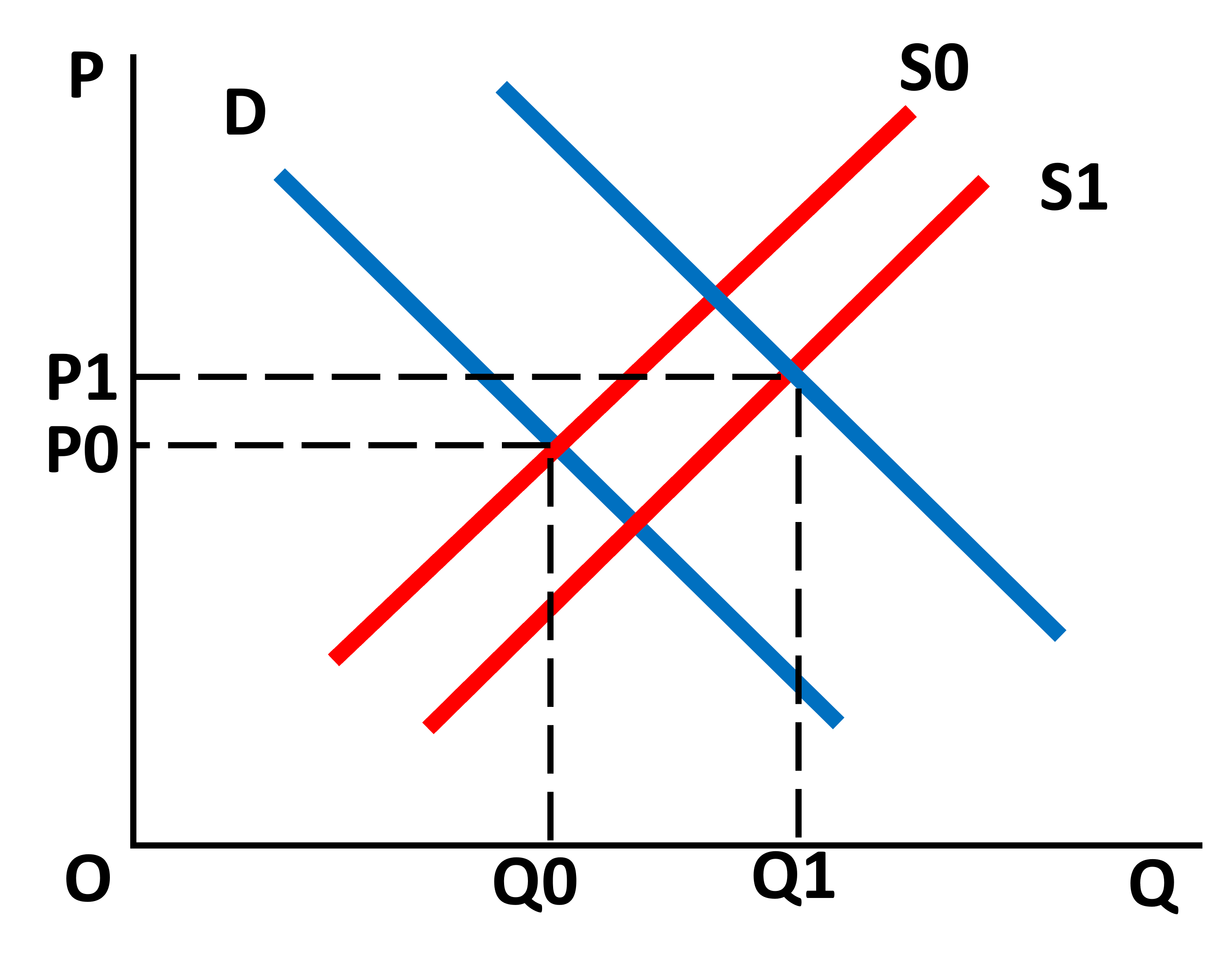
  • Use non-trivial subject matter (e.g., supply & demand graphs) to align activities with Bloom’s Taxonomy levels.
  • Design background images and draggable answer elements with PowerPoint.
  • Configure drop zones, assign correct answers, and handle scenarios with multiple valid solutions.
  • Recognize common challenges and how to update your interactivity when content changes.

Creating Your Drag-and-Drop Activity

  1. Design background image: Create question text in PowerPoint, export the slide as a .png, and use it as the backdrop.
  2. Make draggable elements: Save graphs or other visuals as .png images and add them to the activity.
  3. Set up drop zones: Overlay drop zones on the background where answers can be placed.
  4. Assign correct answers: Map each draggable element to its correct drop zone (with flexibility for multiple valid responses).
Example of a Demand and Supply curve drag-and-drop activity

An example drag-and-drop activity with demand and supply curves.

Key Considerations

One drawback of this method is that if you later change text elements in your questions, you must update the PowerPoint slide, re-export it, and replace the background image in H5P. While slightly repetitive, the process is still manageable and yields highly engaging results.

Why this matters: With thoughtful design, drag-and-drop can be used to assess application, analysis, and evaluation skills—not just recall.


Host your own H5P-enabled Moodle course

If you’d like to experiment with H5P drag-and-drop and other interactive tools, consider hosting your own Moodle course on this platform. Featuring the full spectrum of Moodle resources and H5P content types, your journey begins here. Space is available to those investing in my Udemy course. Let’s chat: email me at johan@myfutureway.co.za.


Explore the examples, try the exercises, and see how H5P drag-and-drop can transform your teaching and training materials.

Suggested tags:
H5P drag-and-drop Moodle interactivity Bloom’s Taxonomy PowerPoint graphics Interactive learning

Keywords: H5P drag-and-drop, Moodle drag-and-drop activity, interactive learning with H5P, Bloom’s Taxonomy assessment, PowerPoint + H5P, create interactive exercises.

Five key things to know about PowerPoint Animations

Learn 4 ways to create line path animations in PowerPoint to illustrate processes, stages, or movement. Perfect for educators, trainers, and designers!


Unlock the full potential of PowerPoint animations with this hands-on mini-course! You’ll learn four ways to create line path animations that move objects through multiple stages, perfect for illustrating processes, workflows, or the progression of ideas.

In this course, you will:

  • Master line path animations to visually communicate multi-stage processes

  • Explore practical examples for education, training, and presentations

  • Discover creative ways to enhance slides and increase learner engagement

  • Learn techniques that go beyond standard animations to create dynamic, professional visuals

Whether you are an educator, instructional designer, or business professional, this course gives you the skills to make your presentations more engaging, clear, and visually compelling. By the end, you’ll see why PowerPoint’s animation capabilities continue to amaze — and how to use them to make your content truly interactive.

Compare Tutor LMS vs Moodle — a practical, hands-on review for educators, trainers and instructional designers.

See how the free Tutor LMS WordPress plugin measures up against Moodle for interactivity, learner engagement, and course delivery.

COURSE IS STILL UNDER CONSTRUCTION — PLEASE VISIT AGAIN LATER

Welcome to this free mini-course comparing two popular approaches to online learning delivery: Tutor LMS (the WordPress plugin) and Moodle (the open-source learning management system). If you are an educator, instructional designer, trainer, or e-learning professional, this course provides a concise, evidence-based exploration of usability, interactivity, content delivery, and learner engagement.

What this course covers:

  • Side-by-side feature comparison of Tutor LMS (free/basic) and Moodle.
  • Seven practical tasks implemented in both platforms to test real-world interactivity and learner workflows.
  • Examples of course design, assessment, multimedia support, and export/import options for re-use.
  • Evaluation of learner engagement tools — quizzes, branching, progress tracking, and activity completion.
  • Practical guidance on when to choose WordPress + Tutor LMS versus a full LMS like Moodle.

Make Your Moodle Announcements Impossible to Miss — A Safe, No-Coding Method

Clear, reliable communication inside a Moodle course is essential, yet educators around the world face the same challenge: forum posts, dashboard alerts, and email notifications often fail to reach students at the moment when it matters most. Moodle provides many tools, but none are designed to place an announcement directly inside the learner’s content flow.

This short, practical course shows you how to fix that — safely and without touching any core files.

By the end, you will be able to insert a polished, site-wide message banner into the first section of every course. You will learn where this technique fits within Moodle’s built-in appearance settings, how to test the solution in a dedicated sandbox environment, and how to adjust the design or wording using ChatGPT even if you have no coding experience.

The approach is simple, reliable, and ideal for teachers and administrators who want to communicate clearly with students without relying on risky theme changes or institution-level plugins.

If your goal is to make important messages visible inside the course — not buried in inboxes or side blocks — this course will give you the exact method you need.

Define Your Signature Video Style – Free Mini-Course for Educators

Discover how to make your teaching videos instantly recognisable and professionally consistent — without expensive equipment or editing skills.

In this short, practical course, you’ll learn to define your signature video style — the set of visual, audio, and structural choices that make your content stand out and build lasting trust with learners. Whether you teach on YouTube, Moodle, or Udemy, a consistent style helps you communicate more clearly, connect more deeply, and produce videos faster.

Dear My Future Way Team,

I hope you are doing well.

I am Dr. Mahesh Asalkar, a faculty member in the Department of Obstetrics & Gynaecology, involved in teaching postgraduate medical students. I am currently developing structured online learning resources for postgraduate medical education and plan to use Moodle as the primary learning management system.

While exploring your website, I found your training programs very interesting. I am particularly looking for a course that provides in-depth training on the following aspects of Moodle:

  • Creating and managing a comprehensive question bank

  • Importing and exporting questions

  • Organizing questions using categories and tags

  • Creating quizzes with different question types

  • Configuring quiz settings, grading, feedback, and reports

  • Randomized question selection from question banks

  • Best practices for conducting online formative and summative assessments

  • Efficient management of large question banks for medical education

My primary objective is to develop high-quality online courses and assessment modules for postgraduate medical students (MS/DNB/MRCOG preparation). Therefore, I would appreciate your guidance on whether you offer a course specifically focused on Moodle quizzes and question bank management. If such a course is available, kindly share the course details, syllabus, duration, fees, mode of delivery, and upcoming schedule.

If you do not currently offer a dedicated course, I would also appreciate any recommendations for suitable training or consultancy that would meet these requirements.

Thank you for your time and assistance. I look forward to your response.

Kind regards,

Dr. Mahesh Asalkar
Professor, Department of Obstetrics & Gynaecology
Mobile: +91 9326972948 Email: mahesh@asalkarclinic.com

hiw to use soficad, undersatnding the full work flow of RAMAD consultant 

A set of online resources where engaging activities provide the perfect setting to learn English in a natural and spontaneous way through implicit guidance