







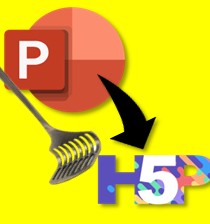





Convert PowerPoint into a Gradable, Interactive Course (PowerPoint → H5P)
A free mini-course showing a practical, low-cost workflow to turn slide decks into LMS-hosted, gradable learning using H5P and Moodle.
Watch: From PowerPoint to a Gradable H5P Course
This short walkthrough demonstrates the four practical steps to convert a PowerPoint into an interactive, gradable course: prepare slides, convert to H5P content, add assessments for grading, and publish within Moodle. The video contains worked examples, configuration tips, and testing guidance for instructors who want a low-cost, updateable approach to digital training.
Why this approach matters
PowerPoint remains a ubiquitous authoring tool in education and training. Converting slide decks into H5P activities yields content that is: interactive, assessable, easy to update, and compatible with standard Moodle grading. This method reduces dependence on expensive video production while increasing learner engagement.
Who this mini-course is for
- Teachers and trainers who already use PowerPoint and want to make it interactive.
- Instructional designers seeking low-cost, maintainable LMS workflows.
- Training managers needing quick turnarounds when content updates are frequent.
Core benefits you will get
- Step-by-step guidance to convert slides into H5P activities.
- Examples of gradable interactions (quizzes, interactive videos, branching scenarios).
- Advice on testing, publishing, and designing for easy future updates.
Quick overview — The four steps
- Prepare slides: clean structure, clear learning objectives per slide, and export assets (images/audio).
- Convert into H5P: import content into H5P content types (e.g., Interactive Book, Column, Course Presentation).
- Add assessment: insert H5P quiz questions or interactive checks that map to your gradebook items.
- Publish & test: embed the H5P module in Moodle, check guest access if you want it discoverable, and test grading flows.
Short transcript & highlights
(Use this text for quick indexing and accessibility — full transcript below.)
Expand full transcript / key timecodes
00:00–01:30 — Introduction: Why convert PowerPoint to H5P; use cases for training and education.
01:31–05:00 — Step 1: Preparing slides — structure, objectives, and asset export.
05:01–10:45 — Step 2: Importing and building H5P content types; demo of Interactive Book and Course Presentation.
10:46–14:00 — Step 3: Adding graded assessments and mapping to Moodle gradebook.
14:01–end — Step 4: Publishing, testing, and iterative updates; tips for maintaining content over time.
(If you’d like, you can copy this transcript into the course notes for accessibility and better indexing.)
Learning outcomes
After completing this mini-course you will be able to convert a PowerPoint into interactive H5P content, build gradable assessments, embed and test the module in Moodle, and maintain the content efficiently when policies or training needs change.
Note: This course is guest-accessible for preview (recommended for indexing). If you want a private version for staff training, contact me.

